C# Winform/WPF 開發分屏顯示應用程序(GOOGLE: 控制winform顯示到哪一個螢幕)
C# Winform/WPF 開發分屏顯示應用程序(GOOGLE: 控制winform顯示到哪一個螢幕)
資料來源: https://blog.csdn.net/soft2buy/article/details/7082668
基本說明
獲取當前系統連接的屏幕數量: Screen.AllScreens.Count();
獲取當前屏幕的名稱:string CurrentScreenName = Screen.FromControl(this).DeviceName;
獲取當前屏幕對象:Screen CurrentScreen = Screen.FromControl(this);
獲取當前鼠標所在的屏幕:Screen CurrentScreen = Screen.FromPoint(new Point(Cursor.Position.X, Cursor.Position.Y));
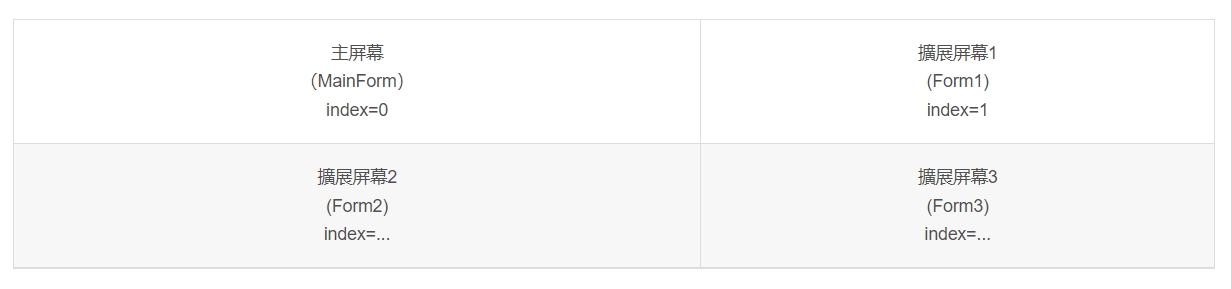
Winform Code
//在窗体的OnLoad事件中调用该方法
protected void Form1_OnLoad(...) {
    showOnMonitor(1);//index=1
}

private void showOnMonitor(int showOnMonitor)
{
    Screen[] sc;
    sc = Screen.AllScreens;
    if (showOnMonitor >= sc.Length) {
        showOnMonitor = 0;
    }


    this.StartPosition = FormStartPosition.Manual;
    this.Location = new Point(sc[showOnMonitor].Bounds.Left, sc[showOnMonitor].Bounds.Top);
    // If you intend the form to be maximized, change it to normal then maximized.
    this.WindowState = FormWindowState.Normal;
    this.WindowState = FormWindowState.Maximized;
}
WPF Code
protected override void OnStartup(StartupEventArgs e)
        {
            base.OnStartup(e);

            Window1 w1 = new Window1();
            Window2 w2 = new Window2();


            Screen s1 = Screen.AllScreens[0];
            Screen s2 = Screen.AllScreens[1];

            Rectangle r1 = s1.WorkingArea;
            Rectangle r2 = s2.WorkingArea;

            w1.Top = r1.Top;
            w1.Left = r1.Left;

            w2.Top = r2.Top;
            w2.Left = r2.Left;

            w1.Show();
            w2.Show();

            w2.Owner = w1;


        }
注意:一定應該在窗體加載前,判斷所要顯示的屏幕是否存在,否則會報錯!
2 thoughts on “C# Winform/WPF 開發分屏顯示應用程序(GOOGLE: 控制winform顯示到哪一個螢幕)”
C# WINFORM/WPF 開發多螢幕 顯示 應用程序(GOOGLE: 控制WINFORM顯示到哪一個螢幕)
c# winforms 延伸螢幕 中間顯示 [ChatGPT 回復 確定可用]
using System;

using System.Windows.Forms;
namespace YourNamespace
{
public partial class YourForm : Form
{
public YourForm()
{
InitializeComponent();
}
private void YourForm_Load(object sender, EventArgs e)
{
// 取得延伸螢幕的工作區大小
Screen extendedScreen = Screen.AllScreens[1]; // 若延伸螢幕為主要螢幕,請使用索引 0
Rectangle workingArea = extendedScreen.WorkingArea;
// 計算視窗的位置
int x = workingArea.Left + (workingArea.Width - Width) / 2;
int y = workingArea.Top + (workingArea.Height - Height) / 2;
// 設定視窗的位置
Location = new Point(x, y);
}
}
}